
Delete your Learning Platform account
If you request to delete only your DeepLearning.AI Learning Platform account:
- We will remove your access to courses, progress, and certificates.
- Your personal data in our communications/database is not deleted. You may still receive newsletters or other emails from us.
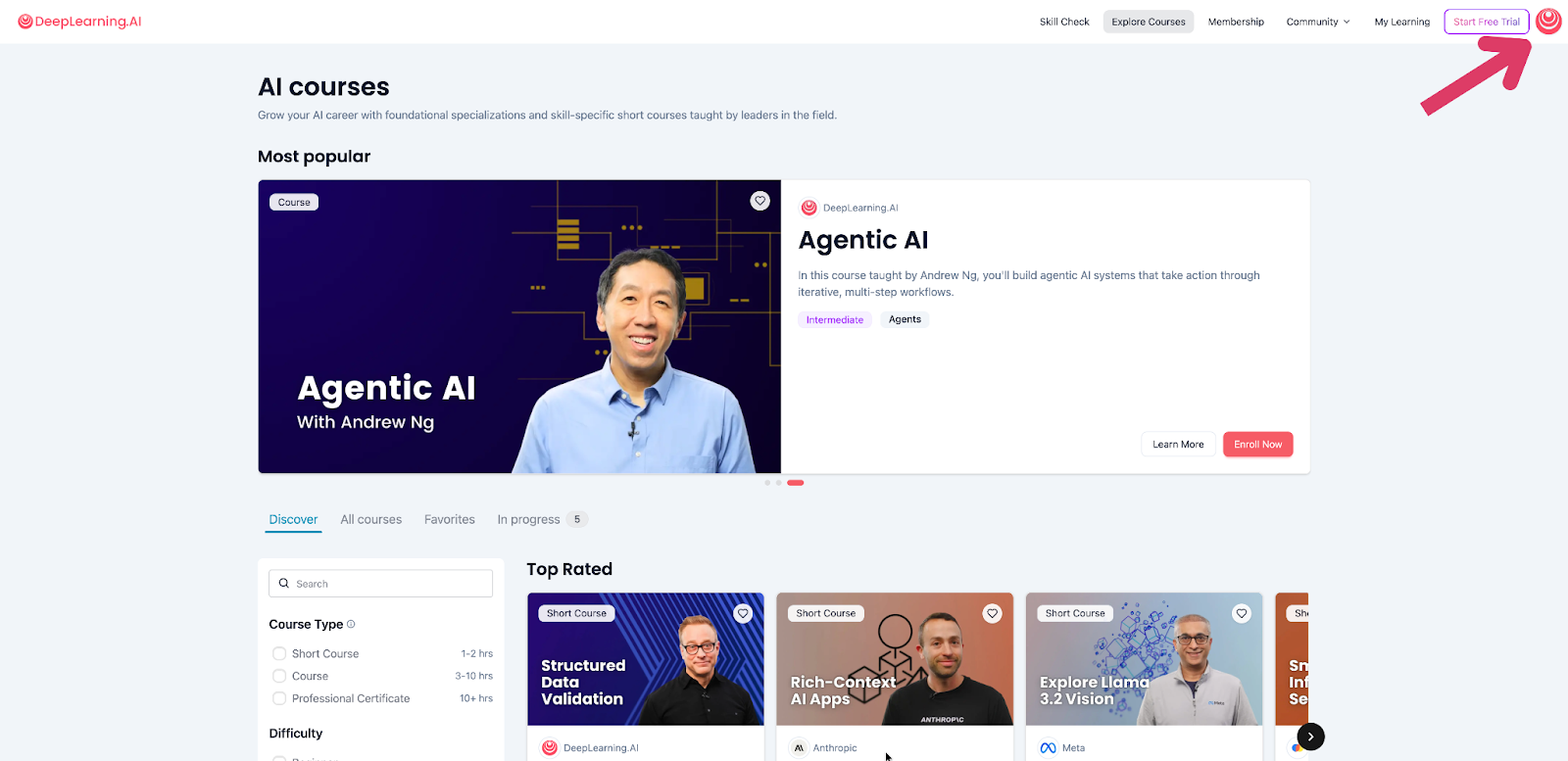
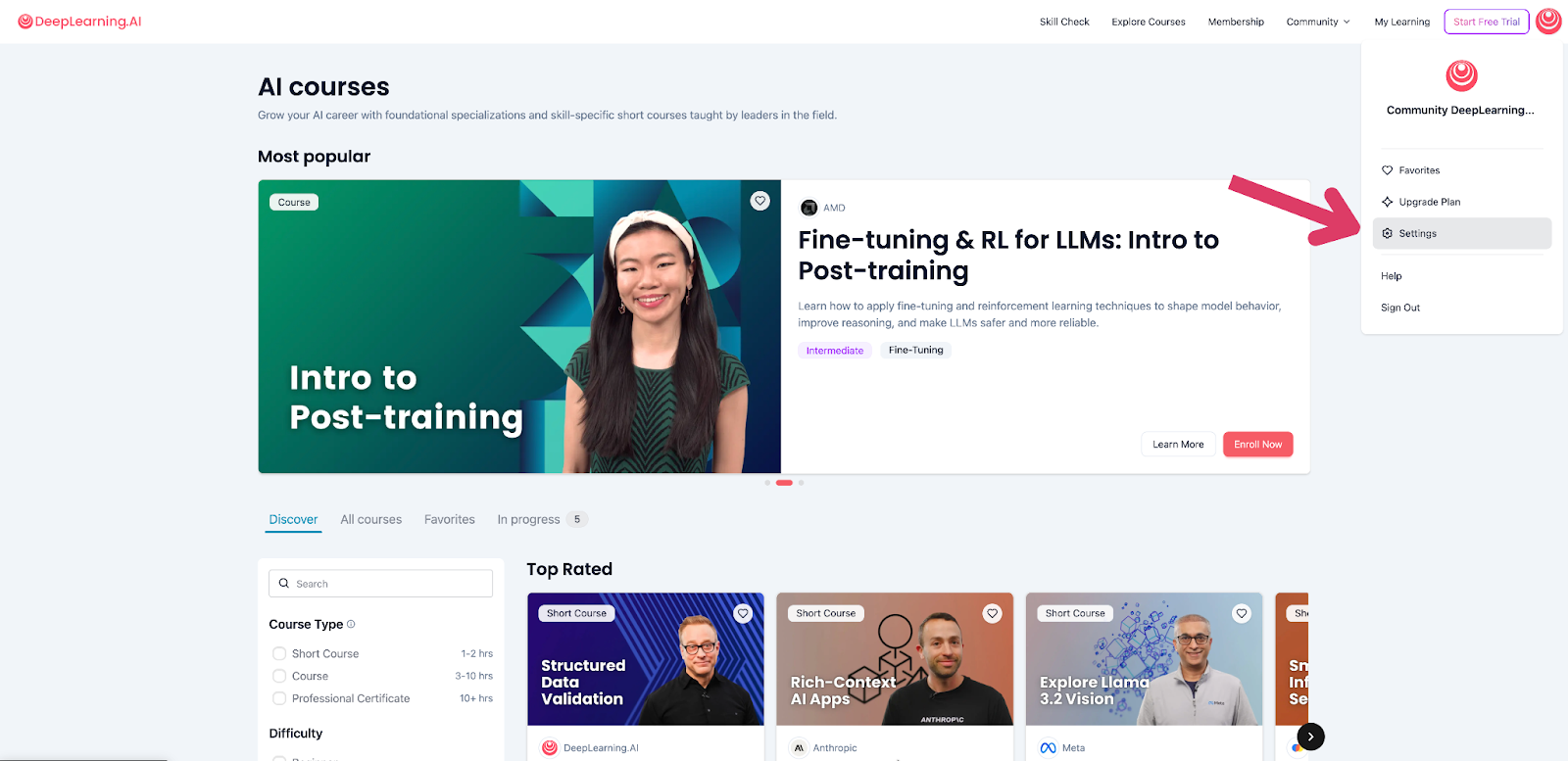
1. Go to Settings
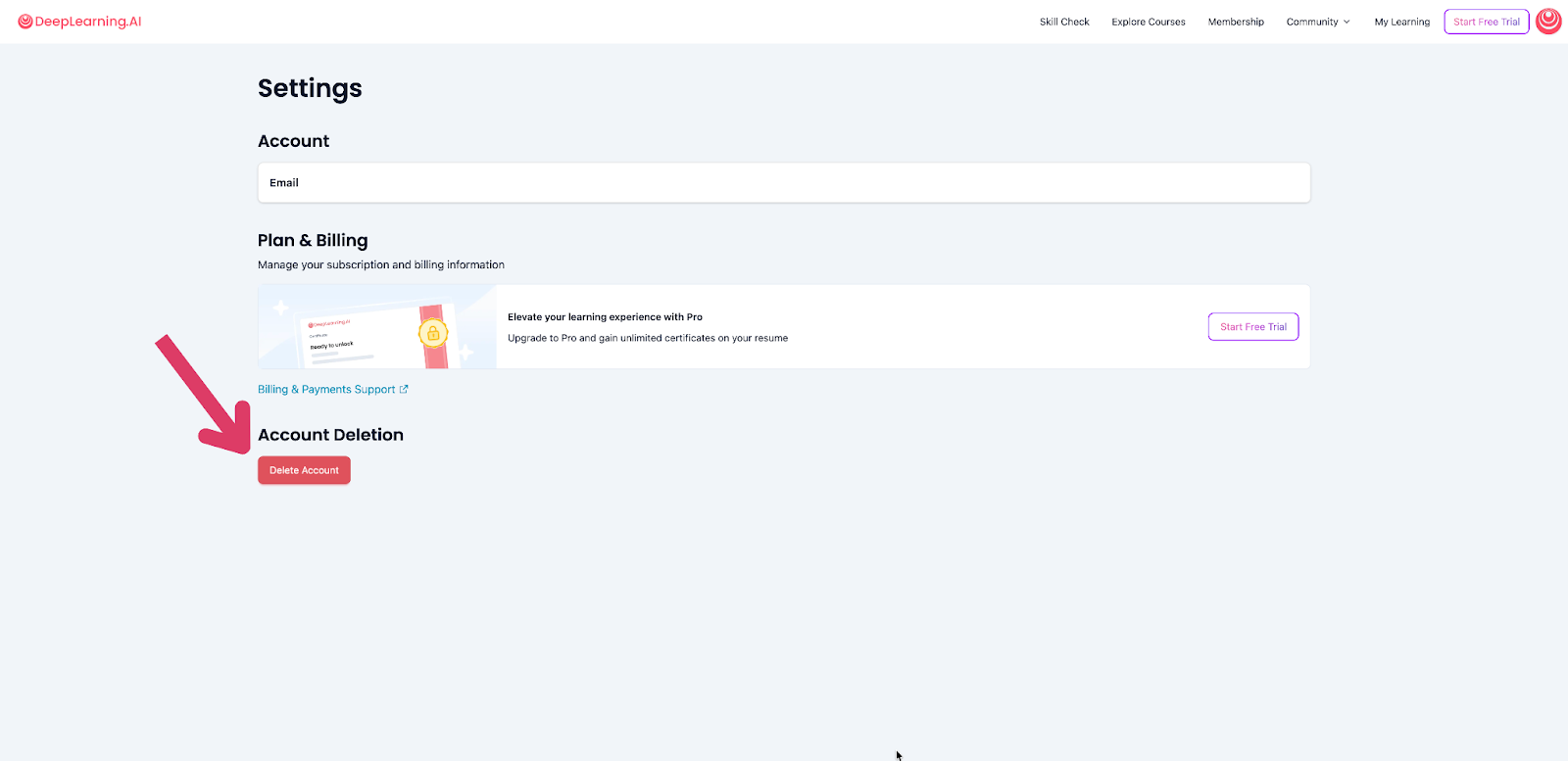
2. Click “Delete Account” and type "DELETE" to confirm
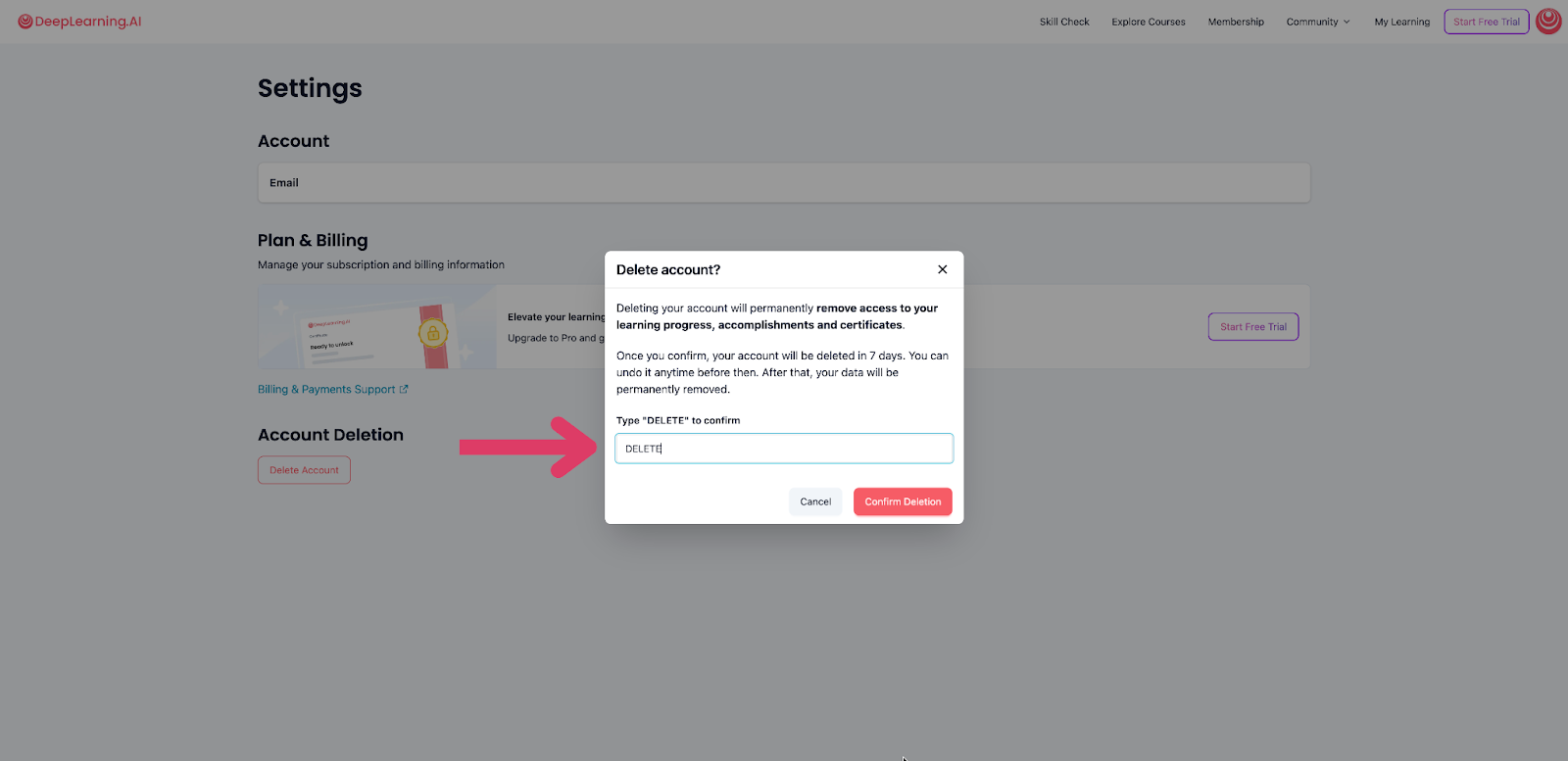
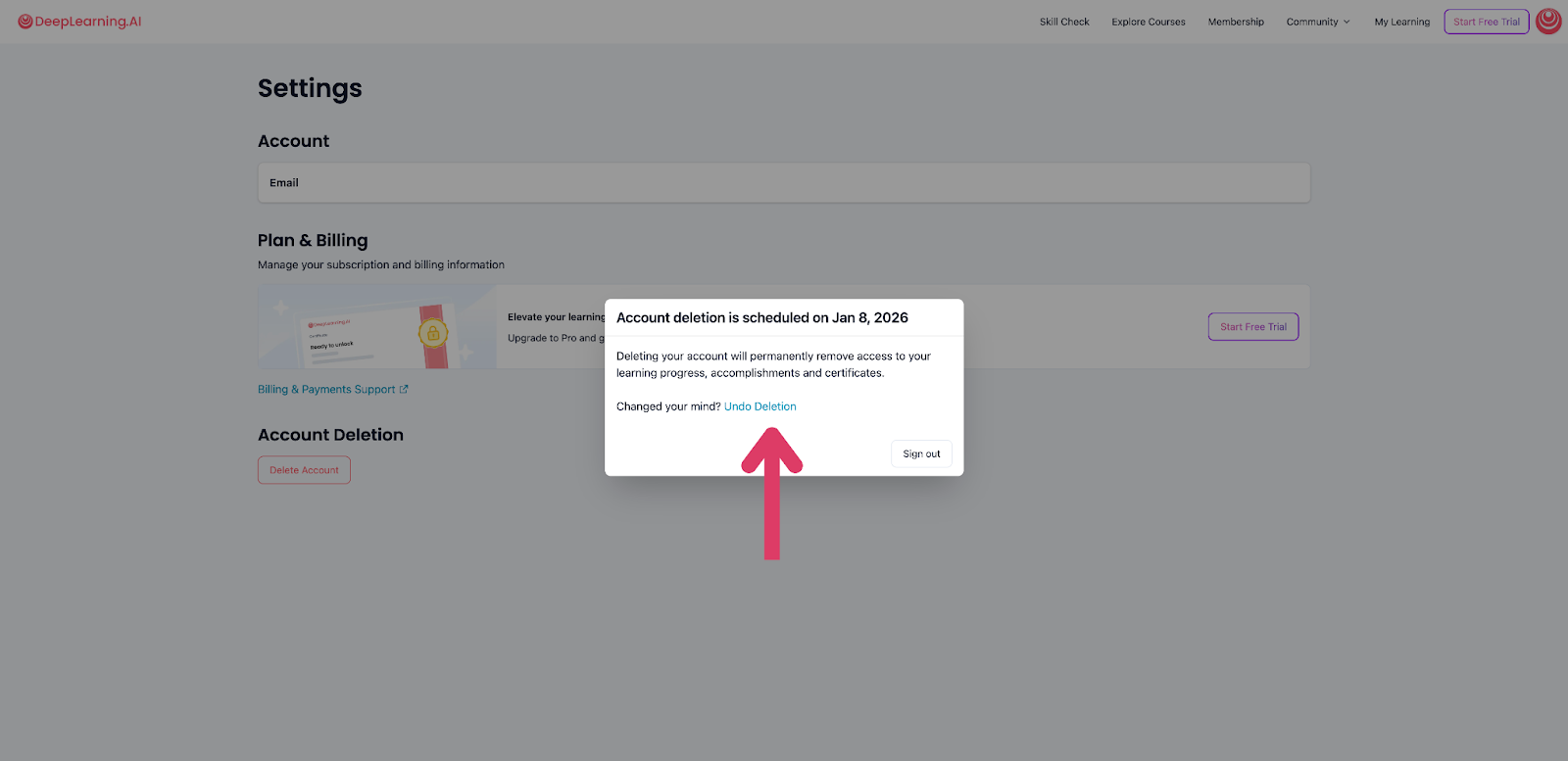
3. And the account deletion is scheduled. You can undo the deletion or sign out. Deleting your account will permanently remove access to your learning progress, accomplishments, and certificates.
Still need help?
If you have more questions or encounter any issues, please create a support ticket here. Our team will review your request and get back to you as soon as possible.